
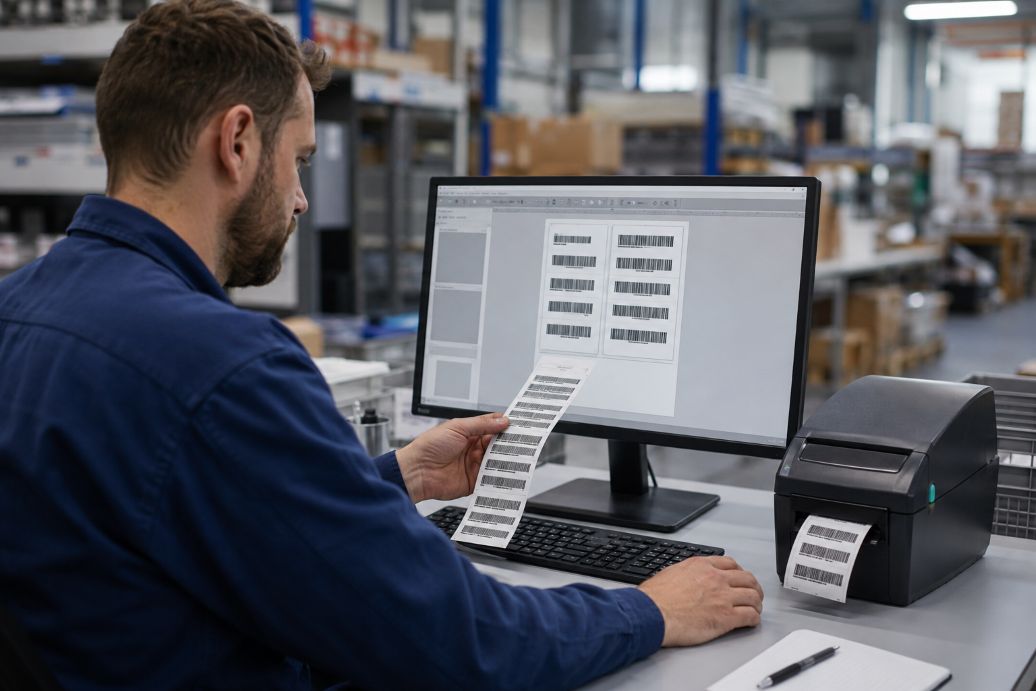
Barcode readability depends on more than generating the correct pattern on a computer screen. The printed symbol must preserve the required dimensions, contrast, spacing, and data structure. Guidance from GS1 identifies incorrect check digits, inadequate quiet zones, poor color choices, and insufficient contrast among the common causes of barcode problems. A design that looks sharp in software can therefore fail when scanned after printing.
This disconnect matters to warehouses, retailers, healthcare facilities, and shipping teams that rely on thermal barcode labels for routine identification. Software controls the encoded data and symbol geometry, while the printer and label material determine how accurately that design becomes a physical image. Reliable results require these parts to be configured as one system rather than treated as separate tools.
Barcode-generation software converts letters, numbers, or structured application data into a machine-readable symbol. Depending on the application, that symbol may use Code 128, EAN-13, UPC-A, GS1 DataMatrix, QR Code, or another format. The software controls elements such as the check digit, bar width, symbol height, data encoding, and the blank border called the quiet zone.
These settings must follow the specification for the selected barcode type. GS1 explains that its barcodes require light backgrounds for the spaces and surrounding quiet zones. The organization also advises businesses to select an appropriate symbol size and verify the final printed result. Resizing a barcode freely inside design software can distort its proportions, even when the encoded information remains correct.
Printer resolution creates another important constraint. A thermal printer produces images as rows of physical dots, commonly measured in dots per inch. Technical guidance from TEC-IT notes that barcode modules should align with the printer’s dot grid. If software sends a bar width that falls between available dot positions, the driver may round the measurement. Some bars can become wider or narrower than intended, reducing consistency across the symbol.
Direct thermal printers do not apply liquid ink, toner, or a separate ribbon. Documentation from Zebra Technologies explains that the printhead heats selected areas of chemically treated media. Those areas darken as the label passes beneath the printhead, forming bars, spaces, text, and graphics.
The software first sends the print job through a driver or printer-command language. That information tells individual heating elements when to activate. Print speed, darkness, resolution, and media sensitivity then influence the finished mark. Excess energy can make bars spread into adjoining spaces, while too little energy may leave pale or incomplete edges. Either condition can reduce the difference between dark and light areas that a scanner needs to detect.
Media choice also affects durability. Findings from Zebra Technologies indicate that direct thermal material is sensitive to heat, strong light, and abrasion. Images may fade or the surrounding label may darken after unsuitable exposure. This makes the technology practical for shipping, receipts, inventory movement, and other short-term uses, but less appropriate for identification that must remain readable for years.
Scaling is a frequent source of trouble, especially as automation in digital workflows allows organizations to process information and repeat tasks at greater speed. A barcode may be generated at one resolution, inserted into a document, and resized again by the printer driver. “Fit to page” options can quietly change bar widths and quiet zones. Low-resolution bitmap images may also develop uneven edges when enlarged, whereas properly configured vector output or printer-native commands can preserve dimensions more effectively.
Contrast problems can arise even when the source file uses solid black and white. GS1 reports that barcode verification evaluates properties including symbol contrast, edge contrast, and quiet zones. These measurements examine the physical symbol rather than its screen preview, which is why checking a PDF or label template alone cannot confirm print quality.
Routine scanner testing is useful, but successful decoding does not provide a complete quality assessment. A scanner answers whether it can read a symbol under its current conditions. A verifier grades the printed code against established parameters. Documentation from Cognex describes ISO/IEC 15416 measurements that examine factors such as symbol contrast, modulation, defects, decodability, and quiet zones for linear barcodes.
A controlled setup connects software choices with the printer’s real capabilities. Teams can use the following checks before approving a template:
Barcode software supplies the logic, but thermal technology determines how faithfully that logic reaches the label. A dependable workflow records the approved symbol size, software version, printer model, resolution, driver settings, media type, speed, and darkness level. Rechecking output after a media, driver, printer, or template change helps catch variations before they affect an entire production run.
The strongest bridge between digital design and physical output is verification based on printed samples. When organizations match barcode dimensions to the printer’s dot grid, protect contrast and quiet zones, and monitor the label’s intended environment, scanning becomes more predictable. As identification systems handle greater volumes and more structured data, keeping software settings and print conditions synchronized will remain a basic requirement for dependable automation.